
Export data into another system
You can use Lookout's built-in Data Exporter to design CSV and JSON templates for bulk extracting data out of Lookout. You can manually trigger exports from inside Lookout itself, or you can automatically trigger exports via our HTTP REST API. We see businesses embrace automatically triggering exports via our API when they want to streamline their operations to reduce errors and return time to your people.
Common scenarios are:
- Accounts Receivable: Send invoices for private fees, ITFs, and CHSP/VHC co-contributions at the end of the month from your finance system such as Xero, MYOB, SAGE Intaact, or AIM
- Payroll: Pay your employee workforce at the end of the fortnight from your payroll system such as Employment Hero, Keypay, or Xero
- Contacts: Know the identity of your clients on inbound calls by syncing their contact information to your call centre system such as Zoom and Aircall.
We have designed our exports to handle large volumes of data so it can take a few minutes for an export to be generated. When you automatically trigger an export via our API there are two strategies for extracting and loading the data.
There is a push strategy where you get notified when the export is complete, and there is a poll strategy when you check if the export is complete on a schedule. We work with a variety of platforms so the strategy you pick depends on the capabilities of the platform you're using.
In this "how to" we are going to cover the push strategy for importing CHSP co-payment contributions in to your financial system for invoicing. Together, we will:
- Design an export template
- Setup a webhook to get notified
- Trigger an export from the API
- Wait for the webhook to notify
- Retrieve the export file using the webhook payload
We assume you have already completed making your first request, have a genuine set of credentials, and have the company ID of your Lookout instance.
Design export template
We work with a wide variety of external systems that have different requirements for how data is imported in to their system. We have designed Lookout's data exporter for maximum flexibility so you can exactly match an import expected by an external system.
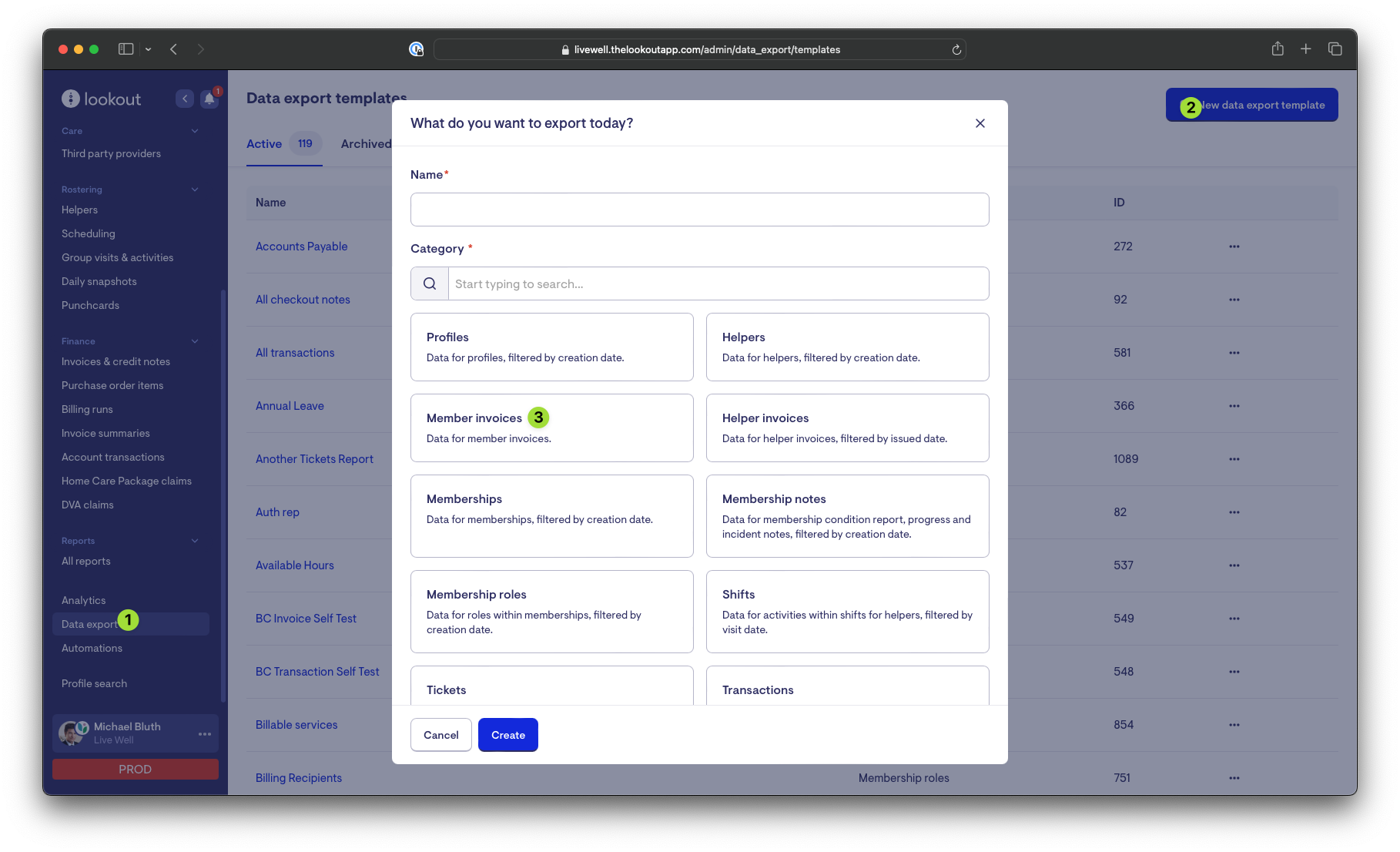
First, go to Data exporter and create a new data export template for the Member Invoices category.
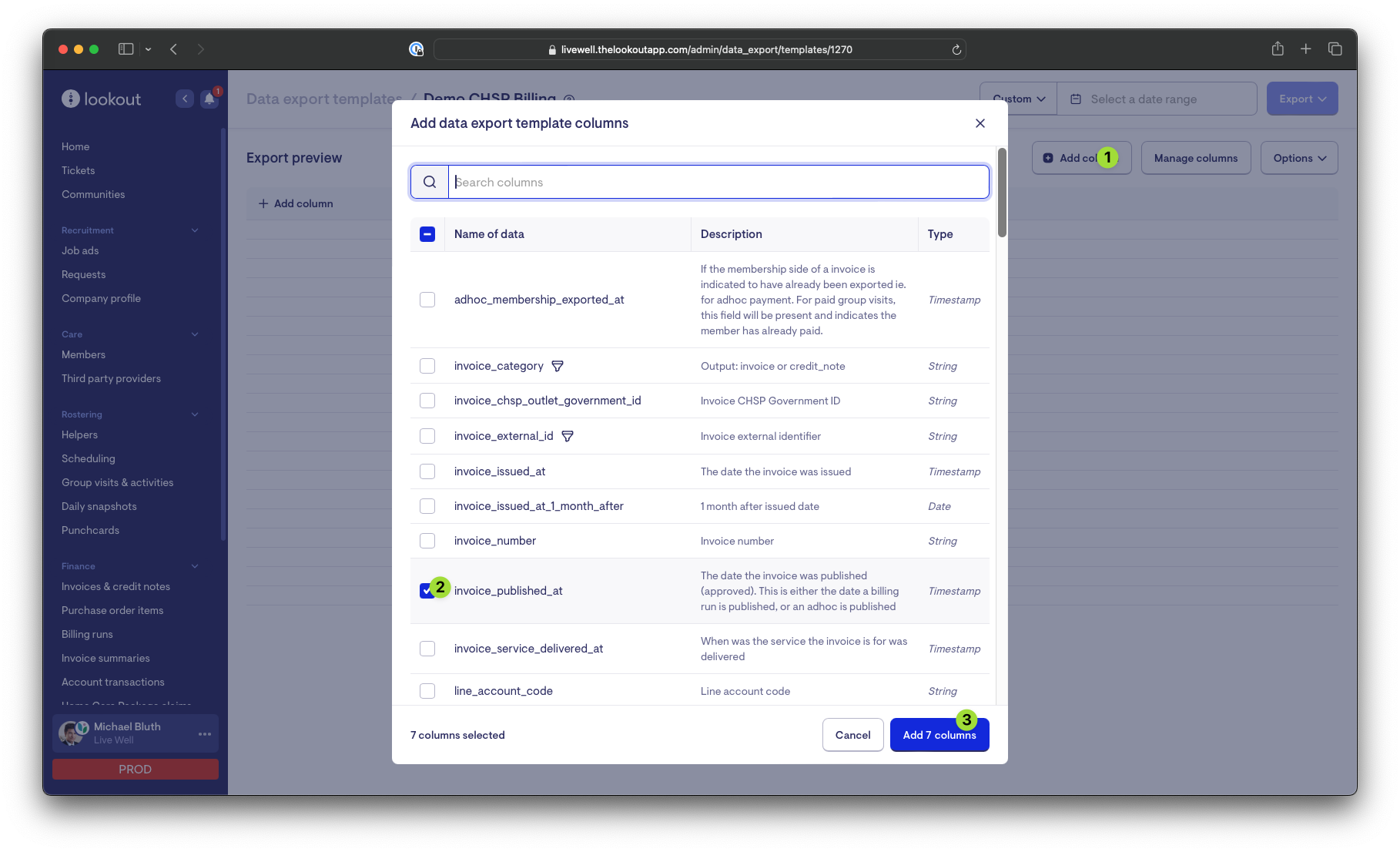
Then, add the columns invoice_published_at, line_description_1, line_gross_amount, line_price, line_quantity, membership_name, membership_profile_id, and membership_funding_scheme to the export:
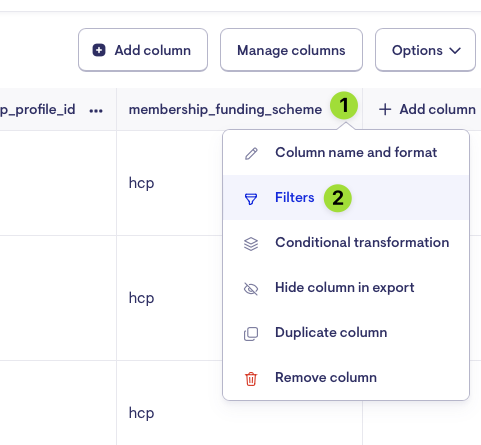
Then, filter the export to only clients who are funded through CHSP:
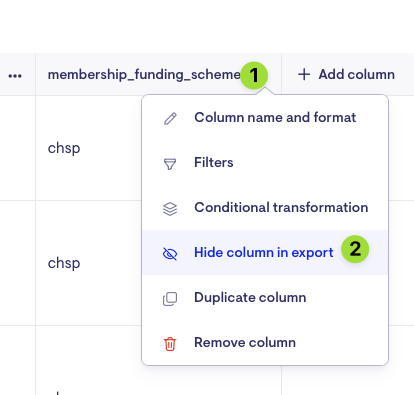
Then, hide the column from the export so it doesn't appear in the CSV:
Then, change the export to use the published date to window the date ranges:
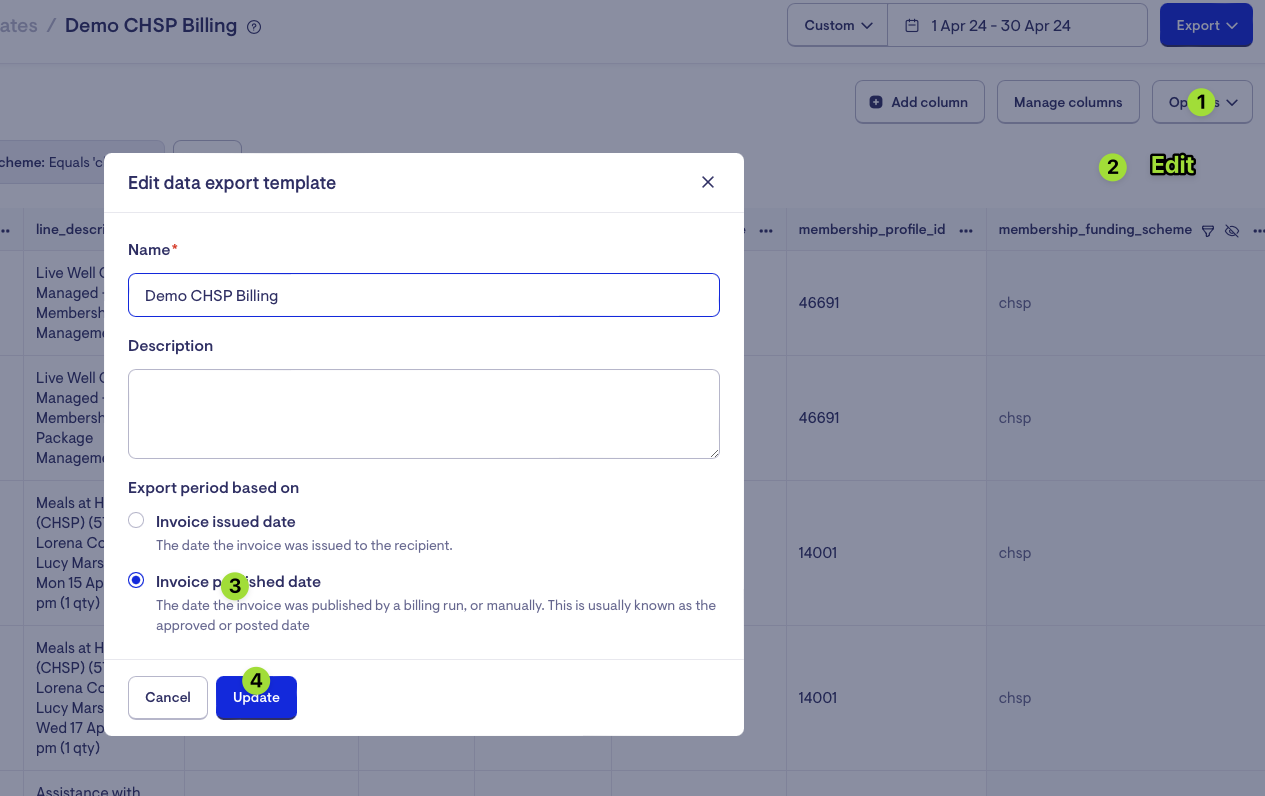
Then, export the template for the previous calendar month:
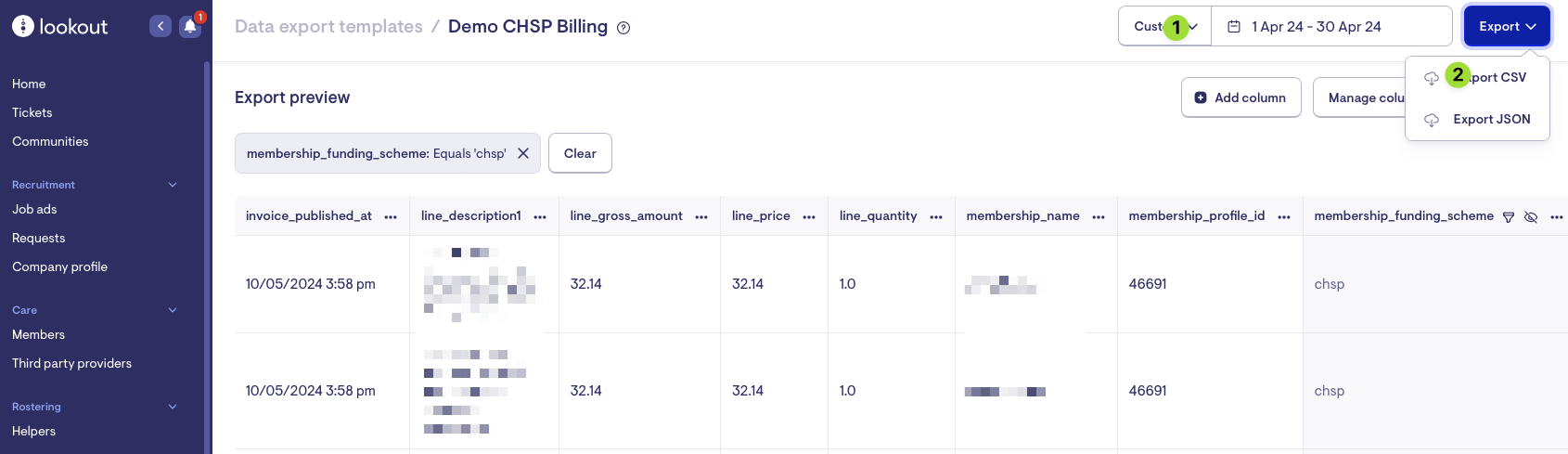
Then, wait for the notification to indicate the export is complete and download the file to check the results.
Finally, take note of the template ID in the URL as this is the ID we'll reference in subsequent steps. If the URL of the page is https://example.thelookoutapp.com/admin/data_export/templates/1270 then the ID is 1270
Setup a webhook to get notified
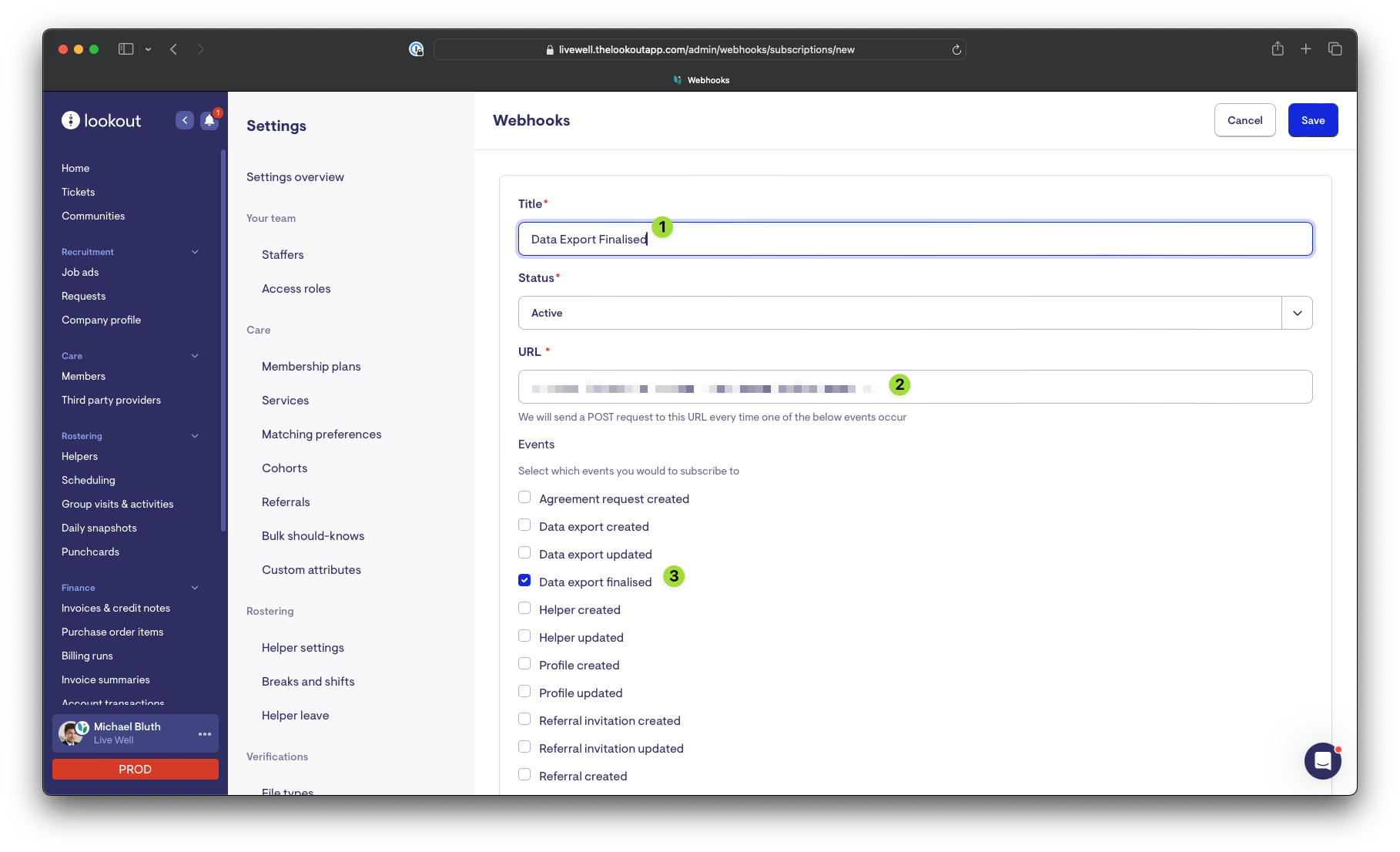
Go to "..." > Settings > Webhooks and then make a new subscription for the Data export finalised event.
Trigger an export from the API
Make a request to the create data export endpoint with the template ID and date range for the last calendar month:
curl --request POST \
     --url https://api.thelookoutapp.com/api/9000/data_exports \
     --header 'Authorization: Bearer identifier:secret'
     --header 'Accept: application/json' \
     --header 'Content-Type: application/json' \
     --data '
{
  "data": {
    "format": "json",
    "template_id": 1270,
    "params": {
      "start_date": "2024-04-01",
      "end_date": "2023-04-30"
    }
  }
}
'
On success you'll get a JSON payload of the export including its id and status. Note the file object is null at this stage as the export has not been generated:
{
  "data": {
    "id": 4273,
    "status": "pending",
    "format": "json",
    "params": {
      "start_date": "2024-04-01",
      "end_date": "2023-04-30"
    },
    "created_at": "2024-05-15T03:43:02.554Z",
    "updated_at": "2024-05-15T03:43:02.554Z",
    "requestor": {..},
    "template": {
      "id": 1270,
      "name": "Demo CHSP Billing",
      "description": "",
      "archived_at": null,
      "created_at": "2024-05-15T02:52:04.160Z",
      "updated_at": "2024-05-15T03:40:59.063Z",
      "allowed_export_params": {
        "start_date": "date",
        "end_date": "date"
      },
      "data_source": "Member invoices"
    },
    "file": null
  }
}
Wait for the webhook to notify
We have designed our exports to handle large volumes of data so it can take a few minutes for an export to be generated. Once Lookout has finalised the export it will make a HTTP request to the URL you nominated when you setup the webhook subscription.
On finalisation you'll get a JSON payload of the export including its id, status, and file_url for retrieving the export file:
{
  "event_id": 11044033,
  "event_type": "data_export_finalised",
  "source_id": 4273,
  "data": {
    "id": 4273,
    "status": "finalised",
    "format": "json",
    "params": {
      "end_date": "2023-04-30",
      "start_date": "2024-04-01"
    },
    "created_at": "2024-05-15T03:43:02.554Z",
    "updated_at": "2024-05-15T03:44:53.760Z",
    "requestor": {..},
    "template": {
      "id": 1270,
      "name": "Demo CHSP Billing",
      "description": "",
      "archived_at": null,
      "created_at": "2024-05-15T02:52:04.160Z",
      "updated_at": "2024-05-15T03:40:59.063Z",
      "allowed_export_params": {
        "start_date": "date",
        "end_date": "date"
      },
      "data_source": "Member invoices"
    },
    "file": {
      "id": 2311830,
      "filename": "demo-chsp-billing-2024-04-01_to_2023-04-30-1715744582.json",
      "file_size": "2 Bytes",
      "file_url": "https://api.thelookoutapp.com/../demo-chsp-billing-2024-04-01_to_2023-04-30-1715744582.json",
      "content_type": "application/json",
      "attachable_sgid": "eyJfcmFpbHM...",
      "created_at": "2024-05-15T03:44:53.712Z"
    }
  }
}
We recommend verifying the event_type is data_export_finalised and the status is finalised.
Retrieve the export file using the webhook payload
Make a request to the file_url from the previous step to retrieve the file. The URL is long, unguessable, and will automatically expire after 5 minutes.
curl -O 'https://api.thelookoutapp.com/../demo-chsp-billing-2024-04-01_to_2023-04-30-1715744582.json' Updated about 1 year ago